Chennai-la Web Dev Journey Start பண்ணலாம். Ready?

Master Web Design + Full-Stack Development with AI

Using SPARK Creative Habits

Create pixel-perfect websites, dynamic web apps, and responsive layouts that work across devices.
Learn real development + design thinking — not just copy-paste templates.

 Powered by Web D School

11

Years Experience

6000+

Students Trained

93%

Placement Record

200+

Company Tie-ups

11

Years Experience

6000+

Students Trained

93%

Placement Record

200+

Company Tie-ups

11

Years Experience

6000+

Students Trained

93%

Placement Record

200+

Company Tie-ups

11

Years Experience

6000+

Students Trained

93%

Placement Record

200+

Company Tie-ups

leftflosd

Best in Chennai

Ashok Nagar
Online
Classroom

4 Months

48 Sessions Intensive
Classroom Classroom

3-4

Portfolio Projects
Classroom

Max 10 Students

Small Batches

Placed Students

Where Our Students Work Now

From Web D School classrooms to top brands, startups & creative studios worldwide

STUDENT PLACEMENTS & SUCCESS

STUDENT WORK SPEAKS

Portfolio Projects from Our Full Stack Web Development Course in Chennai
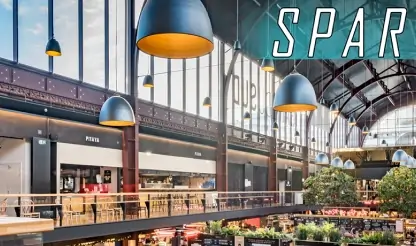
93% of these students secured jobs or started freelancing within 4 months

COMPREHENSIVE CURRICULUM

Full-Stack Development syllabus covers expansive concepts.

Master both front-end and back-end development with real-time projects and hands-on training. Build complete web applications from scratch using the latest technologies.

  1. Introdution to Figma
  2. Design Principle
  3. Webpage Layout Using Figma
  1. Introduction to Photoshop
  2. Webpage Layout & Image Optimization
  1. Introduction
  2. Working with Text Elements
  3. Working with Tables, Working with Lists
  4. HTML5 Div Elements, Positioning
  5. CSS Style Rule, IDs & Classes and CSS Selectors
  6. Working with Box Models
  7. Working with Position
  8. Working with Animations
  9. Working with Flex and Grid
  10. Creating an Singlepage Website
  11. Creating an Multipage Website
  12. Creating an Single & Multipage Website with Responsiveness
  1. Introduction To Bootstrap
  2. Project (Session - 1)
  1. Introduction to JavaScript
  2. Variable Declaration, Data types, & Operators
  3. Looping & Conditional Statements
  4. Array and String Methods
  5. Timing Events
  6. JS DOM
  7. JS Timing Events
  8. Creating a CRUD Operation or Billing Software
  9. Javascript AJAX
  10. Anime.js & GSAP, Aos & Owl Carousel
  11. jQuery-UI Components
  1. Environmental Setup
  2. Folder Structure
  3. Understanding npm
  4. Understanding Components
  5. JSX
  1. Understanding Props
  2. Understanding State & SetState
  3. Destructuring state and Props
  1. Binding event handlers
  2. Keyboard and Mouse events
  1. Conditional Rendering
  2. List Rendering & keys
  3. Styling elements using Class
  1. Component lifecycle methods
  1. useState
  2. useEffect
  3. useContext
  4. useMemo and etc.
  1. Bootstrap 5
  2. Browser Router
  3. MUI components
  1. Handling http requests
  2. Axios
  3. GET & POST request
  1. Overview of redux
  1. Difference between Web Design and Web Development
  2. What is Angular JS
  3. Migrating to Angular 2+
  1. Introduction to Angular
  2. What is Angular?
  3. Why Angular?
  1. Getting Started with TypeScript
  2. Working with tsc
  3. TypeScript Features
  4. TypeScript Classess
  5. Function: Inferring the types
  6. Interfaces
  7. Generic Types
  8. Generic Classes
  9. Generic Constraints
  10. Decorators
  11. Property, Class, Parameter Decorators
  12. Exports
  13. External Modules
  14. Namespace & Mixins
  1. Setting up Environment
  2. Setting up an Angular Application
  1. Basics of component
  2. Component Decorator
  3. Component Decorator details
  4. Creating Components
  5. Passing data to a Component
  6. Responding to Component Events
  7. Component Lifecycle
  8. Advantage and limitations of component
  1. One Way & Two Way Data Binding
  2. Understanding Modules
  3. Angular Bootstrap Process
  1. Two way data binding with ngModel
  2. User Input
  3. Form Controls in Angular
  4. Controls and Control Groups
  5. Form & NgForm
  6. Validation & Error Handling
  7. CSS-Forms
  1. Dependency Injection
  2. Why dependency injection?
  3. Dependency Injection Usage
  4. Configuring the injector
  5. Injectable Decorators
  6. Dependency Injection Tokens
  1. Attribute Directives
  2. Difference between Directives and Component
  3. Create new Attribute Directives
  4. Structural Directives
  5. Creating Structural Directives
  6. Directive Metadata
  7. Directive Types
  1. Chaining pipes
  2. Parameters in Pipe
  3. Custom Pipe
  4. Async Pipes
  5. Built In Pipes
  1. Basic introduction to Router
  2. Route configuration
  3. RouteConfig, RouterLink, RouterOutlet
  4. Child Routes
  1. Services in Angular
  2. Injecting the HeroService
  3. An Overview on Providers
  4. Example on Services
  1. Event Emitter Class
  2. Emit Method & Next Method
  3. Subscribe Method
  1. Observables
  2. The RxJS Library
  3. Observables in Angular
  4. Practical Usage
  1. Introduction to CMS and Word Press
  2. Download and install Word Press
  3. Download themes and customization
  4. Page vs. Post and its content type
  5. Download and working with plugins
  1. Node JS Introduction
  2. Working with File system
  3. Creating a server using Node JS
  4. Working with html and File system connectivity
  5. Creating a QR-Code Project
  6. Creating a MVC Concept
  7. Creating a MVC Concept with other functionality
  8. Authentication using React and Firebase
  1. Setting up Environment
  2. Setting up an React Application
  3. MongoDB CRUD Operations
  1. Introduction of Python
  2. Variable Declaration, and Data Types
  3. Operator & Looping Statements
  4. Function & Classes
  5. File Handling
  6. OOPs
  1. Introduction of Django
  2. Creating the Structure for Project
  3. Creacting application using Django
  1. SQL vs MySQL
  2. Installation, and Showing
  3. Creating a Table (Projects Fields) Using SQL
  4. Storing the Data in the Admin and User Panel Using Django
  1. Introduction to Java
  2. Variables, Data Types, Operators & Tokens, Object, Constructors, This Keyword
  3. Java Object Oriented Programming: OOPs
  4. Control Structures & Looping, String & Array
  5. Execution Handling & File Handling & IO
  6. Collection in Java
  7. Java Concurrency & Multithreading
  8. Java APIs
  1. What Is Spring Framework
  2. Spring Modules, What Are Spring Modules
  3. Spring Web MVC concept
  4. Aspect-Oriented Programming
  5. Spring Transaction
  6. Springboot Devtools
  1. SQL vs MySQL
  2. Installation, Showing, Creating & Droping Database
  3. Creating & Droping Table
  4. Inserting Data & CRUD Basic
  5. Constrains & ALTER Table
  1. Introduction to Amazon Web Services
  2. Introduction to Cloud Concepts
  3. AWS Global Infrastructure Overview
  4. VPC, Networking and Content Delivery
  5. AWS Storage and Database
  6. Serverless and Application Services, Monitoring and Analytics and Cloud Security
  7. AWS Architecting
  8. Pricing and Support, Migration and Innovation
Student Stories.

What Students Say About US

Real stories from students who transformed their creative careers

"End-to-end knowledge & real transformation"

This institute is truly a center of excellence. I took the PHP/MySQL course and received complete end-to-end knowledge. The training helped me transform myself into a confident tech professional.

Sabapathy

Sabapathy

Web Designing

"Patient, interactive & student-friendly"

This institute provides quality training with great patience in clearing doubts any number of times. The environment is very comfortable, interactive, and they also offer extended practice hours.

Jyothi B

Jyothi B

Web Designing

"Unlimited lab hours & great support"

I chose This institute for Web Development. Trainers clear doubts on the spot and conduct useful seminars every Saturday. Unlimited lab hours helped me practice confidently. Thanks to This institute!

Indhumathi

Indhumathi

Web Designing

PROJECT WORKSHOPS

Build Your Portfolio in the Classroom Under Mentor Guidance

Unlike traditional courses that rush portfolio creation in the final week, ViSA integrates project workshops every 4-6 sessions

The Result

By graduation, you have 15-20 polished, professional projects in addition to your final portfolio. Zero scrambling. Pure confidence.
EARN WHILE YOU LEARN

Start Building Real Projects During Your Web Development Training

Our Earn While You Learn pathway empowers skilled students to work on live projects, gain industry-level confidence — and earn — while still in training.

decoration

Build & Maintain Client Websites

Work on small business websites, landing pages, portfolio sites, and basic e-commerce setups. Deliver clean, functional builds and earn per approved project or update.

Contribute to ViSA’s Web Properties

Collaborate on internal platforms — academies, landing pages, dashboards, and microsites. Improve UI, add features, and ship production-ready components.

Create Web Templates & Themes

Design reusable templates — portfolio layouts, UI kits, landing-page themes, component packs, and micro-interactions. Earn for each approved template added to our marketplace.

Freelance for Local Clients & Startups

Get matched to small gigs — store websites, event pages, service sites, and one-page promos. Deliver quick-turnaround builds and earn independently while sharpening your craft.

Earn while learning web development

Live

Paid Projects

Important: Real-world projects. Real income. A chance to reduce your fees while levelling up your skills — all at the same time. Opportunities are skill-based and merit-driven.

CAREER SUPPORT & PLACEMENT PREPARATION

We Don’t Just Teach Web Development.
We Launch Web Developers.

Our Student Success Team supports you end-to-end — until you land your first freelance project, internship, or full-time role.

We don’t chase hype. We train developers who can ship, solve, and sustain.
Your Creative Toolkit for the Real World

TOOLS & TECHNOLOGIES YOU’LL MASTER

  • Wordpress

  • MySQL

  • Spring Boot

  • React js

  • Python

  • PHP

  • Node Js

  • Mongodb

  • Laravel

  • JavaScript

  • JQuery

  • Java

  • HTML

  • Figma

  • Express Js

  • Django

  • CSS

  • Bootstrap

WHY ViSA STANDS OUT

Comparing Web Development Courses

See how ViSA Web Dev Mastery compares to typical courses and bootcamps when it comes to real skills, real projects, and real careers.

Feature

ViSA Web Dev Mastery

Typical Course / Bootcamp

Batch Size
Max 10 students — individual attention
25–40 students
Learning Style
50% hands-on, project-driven
Lecture-heavy
Projects & Portfolio
5–10 live websites + full portfolio
Few assignments
Developer + Design Combo
Design + Dev + Launch + SEO workflow
Rarely integrated
Freelancer Readiness
Complete freelance & remote job readiness
Not prioritized
Real Deployment
Live deployed websites ready for clients
Optional or demo-only

What Students Notice Most:

They graduate with real, live websites — not just certificates. Every project is deployed, client-ready, and portfolio-worthy.

CAREER OUTCOMES

Career Paths After Web Design & Development at ViSA

Based on real skills, live projects, and deployment-ready portfolios

Web Designer / Front-End Developer

Agencies, startups, in-house tech teams

₹3 – 6 LPA

Full-Stack / CMS Developer

WordPress, Webflow, Shopify, MERN stacks

₹4 – 7 LPA

Freelance Web Developer / Designer

Multiple clients, flexible & remote

₹20k – ₹70k / month

Remote Web Developer

Global clients & startups (USD pay)

International pay

Startup Website / E-commerce Builder

Small businesses, D2C brands, founders

Project-based earnings

Personal Brand & Portfolio Owner

Multiple live websites & online presence

Long-term income asset

Industry Insight

Developers who can design, build & deploy complete websites earn significantly more than single-skill roles.

WHAT MAKES THIS COURSE DIFFERENT

THE VISA Edge

Make Work Simple Philosophy

We don’t overload you with 1000 tools. We focus on core, industry-relevant tools & workflows used 90% of the time.

Teaching Method
Practice
50% hands-on work
50%
Demo
30% walkthroughs
30%
Theory
20% concepts
20%
Project Workshops
Frequent mini-projects
so you build your portfolio steadily.
No panic rush at the end.

Creator Economy & Freelance-Ready Mindset

You leave not just job-ready, but freelance-ready, agency-ready, or startup-ready — equipped to earn through multiple income pathways.

Full-time Developer/Designer

Agencies, startups & tech companies

₹4-8 LPA

Starting salary for web developers with design skills

Freelance Developer

Project-based work

₹25-60k/month

Build websites for clients and brands

Remote Work

Global opportunities

₹500-2000/month

Work with international clients from anywhere

Own Brand/Products

Long-term assets

Passive income

Build & maintain websites, templates, courses

You’re not dependent on one employer — you create multiple income paths through jobs, freelancing, remote work, and your own brand.

SPARK Creative Habits

We don’t just teach HTML, CSS, and JavaScript — we train you to think like a real developer and designer using a problem-first mindset.

1

Spot

Real user problems in websites

2

Probe

Question standard patterns & what really works

3

Adapt

Use design & dev best practices creatively

4

Risk

Build custom solutions — not copy-paste

5

Keep Evolving

Improve continuously through feedback & iteration

Full Stack + Design + Creative Workflow

You emerge a full-fledged web creator, not just a coder or a designer.

  • Visual design fundamentals (layout, typography, responsive design)
  • Front-end development (HTML, CSS, JavaScript, Frameworks)
  • Back-end/basic dynamic workflows or CMS integration (if in scope)
  • Real-world workflows: Version control, hosting, deployment, SEO basics, performance optimization

ASHOK NAGAR CAMPUS + 100% ONLINE OPTION

Learn from a developer-ready physical campus or join live online from anywhere

Developer-Ready Computer Labs (Licensed Tools)

Prototyping & Collaboration Zone

7-Day Access for Working Students

Easy Access from Major Chennai Suburbs

Live Online Classes Available

Learn From Anywhere – India or Global

Campus Accessibility

Easily reachable from Anna Nagar, T. Nagar, Adyar, Velachery & major transport hubs.

Prefer Online?

Attend live instructor-led classes from anywhere without compromise.

CHENNAI ROOTS. GLOBAL STANDARDS.

ViSA-ல படிச்சுக்கோ… Career-ல ஜெயிச்சுக்கோ.

Why This Web Development Course in Chennai Prepares You for Global Opportunities
Local Connection

Chennai பெருமை

Tamil-friendly learning environment

Projects using Chennai brands (Swiggy, Zomato, local startups)

Understand regional market dynamics

Global Readiness

World தயார்

Portfolio that competes internationally

Professional English communication training

Remote work preparation

Freelance for international clients

Learn in our city. Win across the world.
COURSE INVESTMENT

YOUR DESIGN CAREER INVESTMENT

Transparent Pricing, Full Benefits, and Flexible Payment Options

SPARK Visual Design Mastery

Complete Professional Program

What’s Included:

48 Live Sessions with Expert Mentors
10+ Hands-on Project Workshops
Lab Computer Access & Software Licenses
Live Hosting & Deployment Environment
Portfolio Reviews & Career Mentorship
Freelance & Client Project Support
Lifetime Alumni Community Access
Certificate from Video Superstars Academy
Course Investment

Payment Options:

Full Payment

Best Value Option

EMI Plans

Easy Monthly Installments

Early-Bird Discount

Limited Seats Available

Get full pricing details, discounts & payment flexibility

UPCOMING BATCHES

Choose the batch that fits your schedule and learning style

Next In-Person Batch

Start Date

December 26, 2026

Mode

In-Person + Online

Seats Remaining

4

Status: Filling Fast

Weekend Batch

For Working Professionals

Start Date

December 29, 2026

Mode

Flexible Schedule

Seats Remaining

5

Status: Open

+ Everything You Need to Know

Frequently Asked Questions

Clear answers about eligibility, learning format, freelancing, career support, and online vs offline training — so you can join with confidence.

Not at all. We start from the fundamentals. Many of our top students had zero coding or design background. Interest, consistency, and commitment matter more than prior experience.

Not necessary for on-campus batches — we provide complete lab access. However, having a laptop is recommended for practice outside class. Online batch students must have their own laptop and internet connection.

Yes. Many students start simple freelance or client projects during the course once they build foundational skills and portfolio pieces. We actively guide you on this path.

The course focuses primarily on front-end development and CMS-based workflows. If you're interested in deeper full-stack development (servers, databases), we offer advanced add-ons and future modules.

No. This course is designed for both beginners and intermediate learners who want to formalize skills, build a strong portfolio, and upgrade to professional workflows.

Yes. We guide you on building portfolios, writing proposals, accessing freelance platforms, and connecting with hiring partners. This is real, hands-on support — not generic promises.

Offline batches offer lab access and in-person mentorship. Online batches follow the same curriculum and mentorship structure but require your own system and internet. Learning outcomes are intended to be the same.

START YOUR WEB DEV JOURNEY

Your Skills. Your Projects. Your Career Freedom.

Six months from now — you could be:

Designing responsive websites for brands or clients

Building live e-commerce stores or blogs

Freelancing from home — ₹25k–₹70k+ per month

Working full-time in a startup or digital agency

Running your own web studio or service brand

This web development training program is for those who choose today.
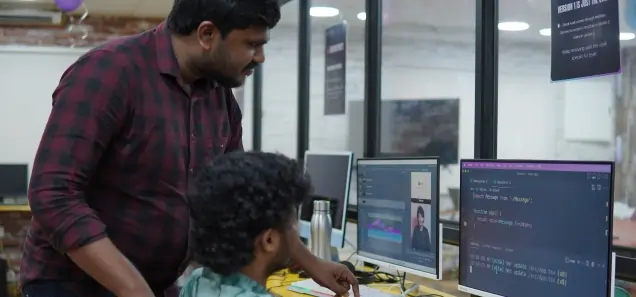
Web developer workspace

Or still thinking “someday”

Get In Touch

Let's start your creative journey together

Ready to transform your creative skills? Let's talk!